
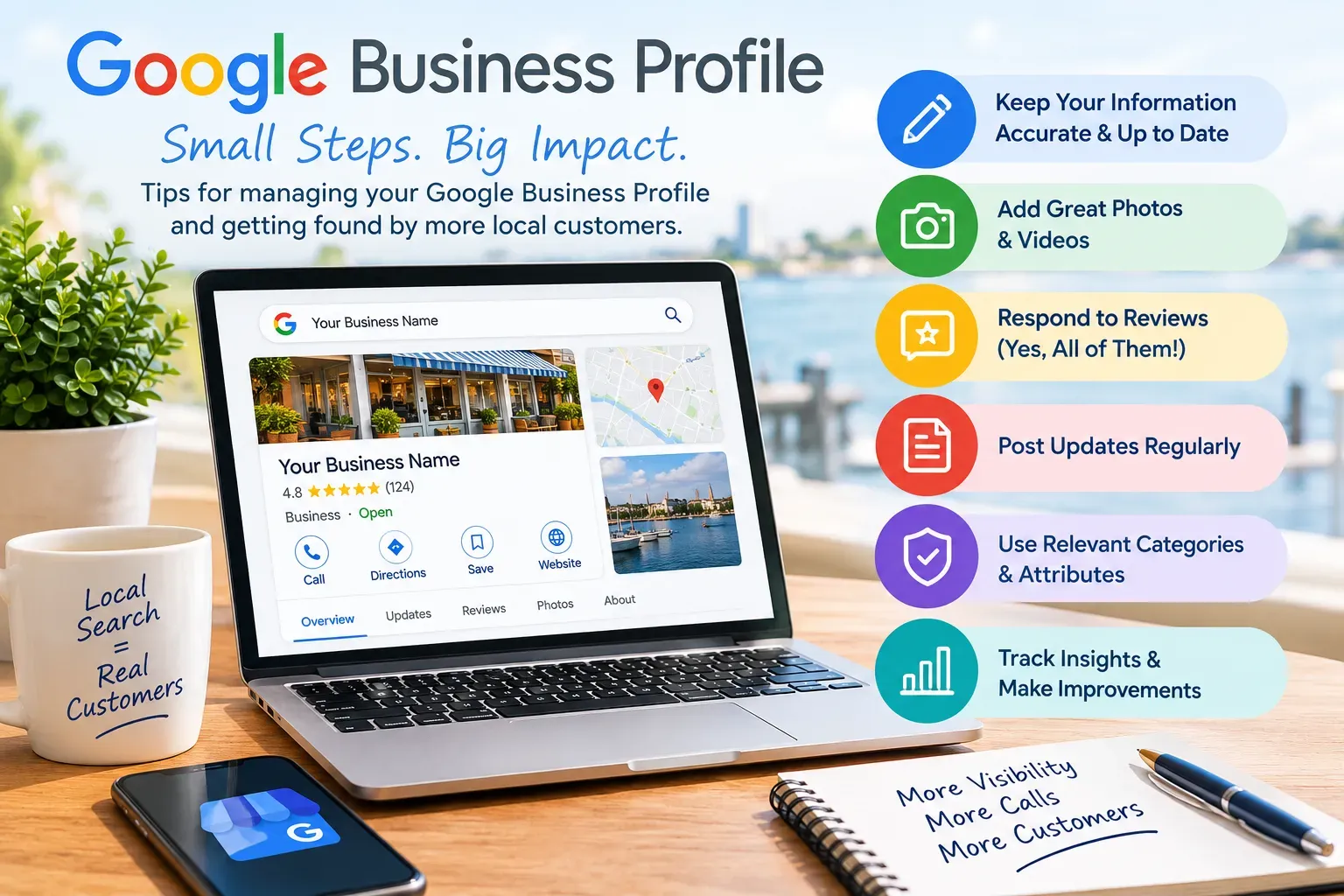
Google Business Profile Tips:
How to Manage Your Listing for More Local Customers
When someone searches for a plumber, a restaurant, or a hardware store "near me," the first thing they usually see isn't your website. It's your Google Business Profile: your name, star rating, hours, photos, and a big button to call or get directions. For many local businesses, that profile gets more views than every page of their website combined.
The catch is that a Google Business Profile isn't a "set it and forget it" listing. Google changes features, customers suggest edits, and incomplete or outdated profiles quietly lose ground to competitors who keep theirs current. Here are the practical habits that keep a profile accurate, trustworthy, and working for you.
1. Make Sure You Own Your Profile
Before anything else, confirm that you, the business owner, is listed as the Primary Owner of your profile, using a Google account you control. We often here from business owners whose listing was set up years ago by a former employee, a relative, or a past marketing company, and nobody can remember the login.
If an agency or staff member needs access, add them as a Manager rather than handing over ownership. That way you can remove access anytime, and you never have to go through Google's ownership-request process to get your own listing back.
2. Choose Your Primary Category Carefully
Your primary category is one of the strongest signals Google uses to decide which searches you show up for. Pick the single category that best describes your core business, such as "Roofing Contractor" instead of the generic "Contractor," then add a few secondary categories for the other services you genuinely offer.
Resist the urge to add every loosely related category. Too many can dilute what Google understands your business to be. Revisit your categories once or twice a year, since Google adds new options over time.
3. Keep Your Name, Address, and Phone Consistent Everywhere
Your business name, address, and phone number (NAP) should match exactly across your Google profile, website, Facebook, Yelp, Bing, Apple Maps, and industry directories. When those details conflict, Google and AI search tools have a harder time trusting which version is correct.
This comes up most often after a move or a phone number change. Updating Google is easy to remember; the old address sitting on a dozen directory sites is not. If you've relocated, take an afternoon to search your business name and clean up every listing you find.
A few more rules worth knowing:
- Use your real business name. Adding keywords or cities to your name (for example, "Smith Plumbing – Best Plumber in New Bern") violates Google's guidelines and can get your profile suspended.
- Service-area businesses should hide their address if customers don't visit their location, and list the towns or counties they serve instead.
4. Keep Hours Accurate, Including Holidays
Few things frustrate a customer more than driving to a business Google said was open, only to find a locked door. Keep your regular hours current, and use special hours for holidays, weather closures, and seasonal changes. With Thanksgiving and the winter holidays coming up, now is a good time to set those dates in advance.
If you offer things like delivery, pickup, or separate service-department hours, add those as well. The more complete your hours, the fewer "are you open?" phone calls you'll field.
5. Fill Out Services, Products, and Your Description
Many profiles leave the Services and Products sections blank, which is a missed opportunity. List the specific services you offer, and write short descriptions in the words your customers actually use. "Gutter guard installation" is more helpful than "exterior solutions."
Your business description should explain what you do, who you serve, and where, in plain language. Skip the promotional fluff and the links; Google doesn't allow URLs or sales pitches in the description.
6. Add Real Photos Regularly
Profiles with current, authentic photos tend to get more clicks, calls, and direction requests. Customers want to see your storefront, your team, your work, and your vehicles, not stock images.
Aim to add a few new photos every month. A quick snapshot of a finished project, a new product on the shelf, or your crew on the job keeps your profile looking active and gives potential customers confidence that you're the real deal.
7. Ask for Reviews and Respond to Every One
Reviews influence both your ranking and whether a searcher chooses you over the business next door. Google also pays attention to how recently and how steadily you're earning them, so a consistent trickle of new reviews beats a burst every couple of years.
- Make asking a habit. Share your review link (you'll find it in your profile under "Ask for reviews") by text or email right after a job is completed.
- Never offer incentives like discounts in exchange for reviews, and don't ask only your happiest customers. Both violate Google's policies.
- Reply to every review , positive and negative. Thank happy customers by name. For negative reviews, stay calm and professional, acknowledge the concern, and invite the person to contact you offline. Future customers are reading how you handle problems.
8. Use Posts to Show You're Active
Google Business Profile posts let you share updates, offers, and events directly on your listing. They're a simple way to highlight a seasonal special, announce new services, or share a recent project.
You don't need to post daily. One or two posts a month, with a good photo and a clear call to action like "Call now" or "Book online," signals to customers and to Google that your business is open and engaged.
9. Understand What Google's AI Now Says About You
Google has been steadily removing direct communication features from business profiles. The chat feature was shut down in July 2024, and the familiar Questions & Answers section has been replaced by an AI-powered "Ask" feature that answers customer questions automatically.
That AI pulls its answers from your profile, your reviews, your website, and other mentions of your business online. You can no longer type your own answer to "Do you offer free estimates?" directly on your listing. Instead, the answer needs to exist somewhere Google can find it.
The practical takeaway: put clear answers to your most common customer questions on your website, such as service areas, pricing approach, payment options, warranties, and how scheduling works. Accurate, well-organized website content (backed by structured data that helps search engines understand it) is now one of the best ways to influence what Google, and other AI tools like ChatGPT and Gemini, say about your business.
10. Check Your Profile Every Month
Anyone can suggest edits to your listing, and Google sometimes applies changes automatically. We've seen hours, phone numbers, and even business categories change without the owner realizing it. Log in at least once a month to:
- Review and accept or reject any suggested edits
- Confirm your hours, phone number, and website link are correct
- Respond to new reviews
- Check your Performance report to see how many people called, visited your website, or requested directions
Those performance numbers are worth watching over time. If calls or direction requests drop, it's often a sign that something on your profile needs attention.
Your Profile Is Your Digital Front Door
A well-managed Google Business Profile is one of the most cost-effective marketing tools a local business has. Keep it accurate, keep it active, earn reviews steadily, and make sure your website backs up everything your profile says. Those habits pay off in the map results, in traditional search, and increasingly in AI-generated answers.
Not sure how your profile and website stack up? Oasis Grafx helps small businesses in Eastern North Carolina and Southern Maryland optimize their Google Business Profiles and websites for search and AI visibility. Schedule a free 15-minute call or request our free 5-Point Website Health Check to find out where you stand.
Not sure how your profile stacks up?
Oasis Grafx offers a free Google Business Profile Health Check. We review your listing the way customers and Google see it, check your name, address, and phone across major directories, and deliver a prioritized PDF report with what to fix. We help small businesses in Eastern North Carolina and Southern Maryland optimize their Google Business Profiles and websites for search and AI visibility. Schedule a free 15-minute call to request yours.