
Moved or Changed Your Phone Number?
Why Old Listings Are Costing You Customers
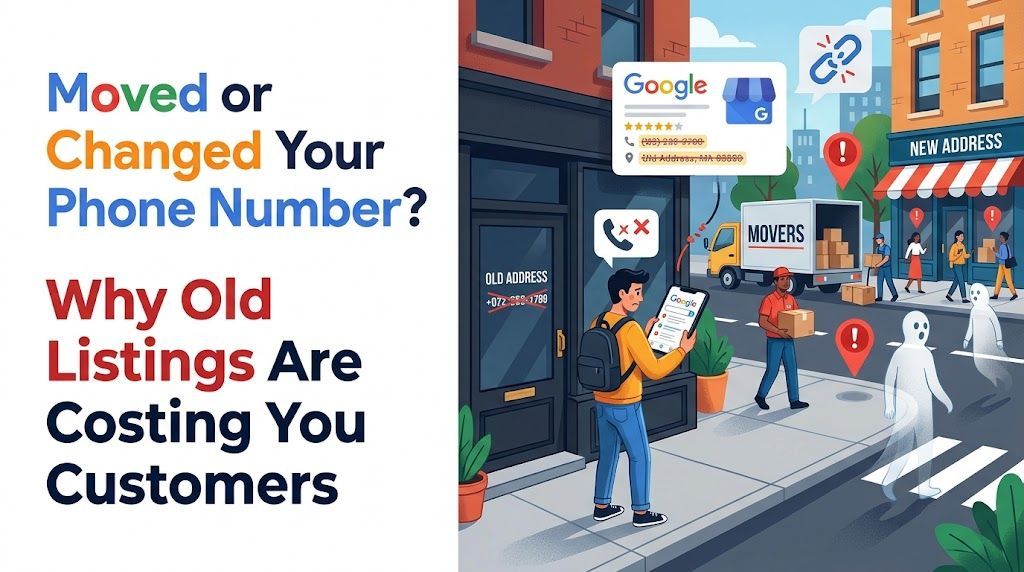
Earlier this year, I moved Oasis Grafx from Southern Maryland to New Bern, North Carolina. I updated my website and my Google Business Profile right away. I do this for a living, so I assumed I had covered the important places.
It didn't go as smoothly as I expected. First, Google suspended my Business Profile over the address change. Then, once it was back, I ran the same health check on my own business that I run for clients. Google had my new information right, and so did Yelp, Facebook, and several directories. But a handful of listings were still telling the world I was in Maryland, including two separate Nextdoor pages with two different Maryland addresses. If it happened to me, it's almost certainly happening to businesses that haven't thought about their listings in years.
Here's what I learned: why leftover listings matter, where they tend to hide, how to clean them up, and how to avoid a suspension when you update your address.
Why Old Listings Still Matter
Your business information lives in far more places than your website and Google profile. Directories, review sites, social platforms, maps apps, and data providers all keep their own copy of your name, address, and phone number (often called NAP). When you move, change numbers, or rebrand, those copies don't update themselves.
That creates three real problems:
- Search engines lose confidence. Google cross-checks your information against other sources. When some say New Bern and others say Maryland, it has less reason to trust any of them, and that can weaken your visibility in local results.
- AI tools repeat what they find. ChatGPT, Gemini, and Google's AI answers pull from across the web. If an outdated directory ranks well, an AI tool may confidently give a customer your old address or a phone number that no longer works.
- Customers give up. Someone who calls a disconnected number or drives to an empty storefront rarely tries a second time. They just call your competitor.
Be Ready for a Google Suspension
Changing your address on Google Business Profile is one of the edits most likely to trigger a re-verification, and in my case, a suspension. Google treats a sudden address change as a possible red flag, because it's also a tactic spammers use. Until I proved the move was legitimate, my profile was effectively off the map.
To get reinstated, I submitted my business registration with my new North Carolina county and a utility bill showing my new address. That documentation is what got my profile reactivated.
Many businesses are asked for more than that: photos or video of exterior signage, a branded vehicle, the street sign, or the inside of an office. That's a real hurdle for service-area businesses like mine. I visit clients at their locations, so I don't have a storefront, signage, or an office to photograph. I hear stories regularly from business owners who were stuck jumping through those hoops, and some were off Google for weeks while they sorted it out.
If you're planning a move, a little preparation goes a long way:
- Update your official records first. Get your business registration, licenses, and utility accounts in your name at the new address before you change your Google profile.
- Gather your documents in advance. Have your registration, a recent utility bill, and any business license ready to upload so you can respond quickly if Google asks.
- Make sure everything matches. The name and address on your documents should match your Google profile exactly.
- Time it carefully. Avoid changing your address right before your busiest season, in case your profile is out of commission for a while.
Where Old Information Hides
The obvious places are the ones you probably already fixed. The trouble usually comes from the listings you forgot existed, or never created in the first place. Platforms often build business pages automatically from public data, so you can have a listing you never claimed.
Check these first:
- Maps and search platforms: Google Business Profile, Apple Maps (through Apple Business Connect), and Bing Places
- Review and social sites: Yelp, Facebook, Nextdoor, LinkedIn, Angi, and the BBB
- Industry directories: Houzz for contractors, Avvo for attorneys, Clutch for agencies, and similar sites in your field
- Business databases: Crunchbase, MapQuest, Yellow Pages, and local chamber of commerce member listings
- Your own materials: email signatures, invoices, social media bios, vehicle wraps, and older pages or PDFs on your website
In my case, the outdated listings were on Nextdoor, Crunchbase, and a small agency directory. None of them were places I visit regularly, which is exactly why they were missed.
Watch Out for Duplicates
Moving often creates duplicates instead of updating the original listing. A platform sees a new address, can't match it to your existing page, and creates a second one. Now you have two listings competing with each other, splitting your reviews and sending mixed signals.
When you find a duplicate, don't just ignore the old one. Claim it if you can, then either merge it with your current listing or mark it as closed or moved, depending on what the platform allows. On Google specifically, a duplicate profile should be reported for removal rather than left in place.
How to Clean Up Your Listings
This doesn't have to be complicated. An afternoon and a spreadsheet will get most businesses most of the way there.
- Decide on your official information. Write down your business name, address, phone number, and website exactly as you want them to appear, down to "Ct" versus "Court." Use that exact version everywhere.
- Search for your business. Search your business name along with your old city, your old address, and your old phone number. Each search tends to surface listings the others miss.
- Make a list as you go. Note each site, what it shows, and whether it's correct. This becomes your checklist.
- Claim and update. Most platforms let you claim a listing with a verification call, email, or postcard. Start with the sites that show up highest in search results; those are the ones customers and AI tools are most likely to see.
- Close or merge duplicates. Follow each platform's process for marking a location as moved or closed.
- Check back in a few weeks. Some sites take time to process changes, and data providers occasionally push old information back out. A follow-up check catches anything that reverted.
One Thing I Did Right
When I moved, I kept my existing phone number. That one decision meant every listing, old or new, still reached me, even the ones with a Maryland address, and even while my Google profile was suspended. If you're planning a move, keeping your number (or forwarding the old one for at least a year) gives you a safety net while you clean everything else up.
If you have already changed numbers, make updating listings with the old number your top priority. A wrong address is an inconvenience; a dead phone number is a lost customer.
Make It Part of Your Routine
Listing cleanup isn't a one-time chore. Ownership changes, new locations, updated hours, and platform glitches can all introduce errors over time. A quick review once or twice a year keeps small problems from quietly costing you business.
For more on keeping your Google listing in shape, see our Google Business Profile tips.
Let Us Check Your Listings for You
If you've moved, rebranded, or changed phone numbers, or you simply aren't sure what's out there, Oasis Grafx can help. Our free Google Business Profile Health Check reviews your profile the way customers and Google see it, checks your name, address, and phone across major directories, and gives you a prioritized PDF report of what to fix. We work with small businesses across Eastern North Carolina and Southern Maryland.
Schedule a free 15-minute call to request yours, or learn more about our Google Business Profile optimization services.